

The Sanka framework
Sanka combines workspaces, modules, objects, and properties to balance flexibility and specialization, enable fast development, and deliver strong cost performance.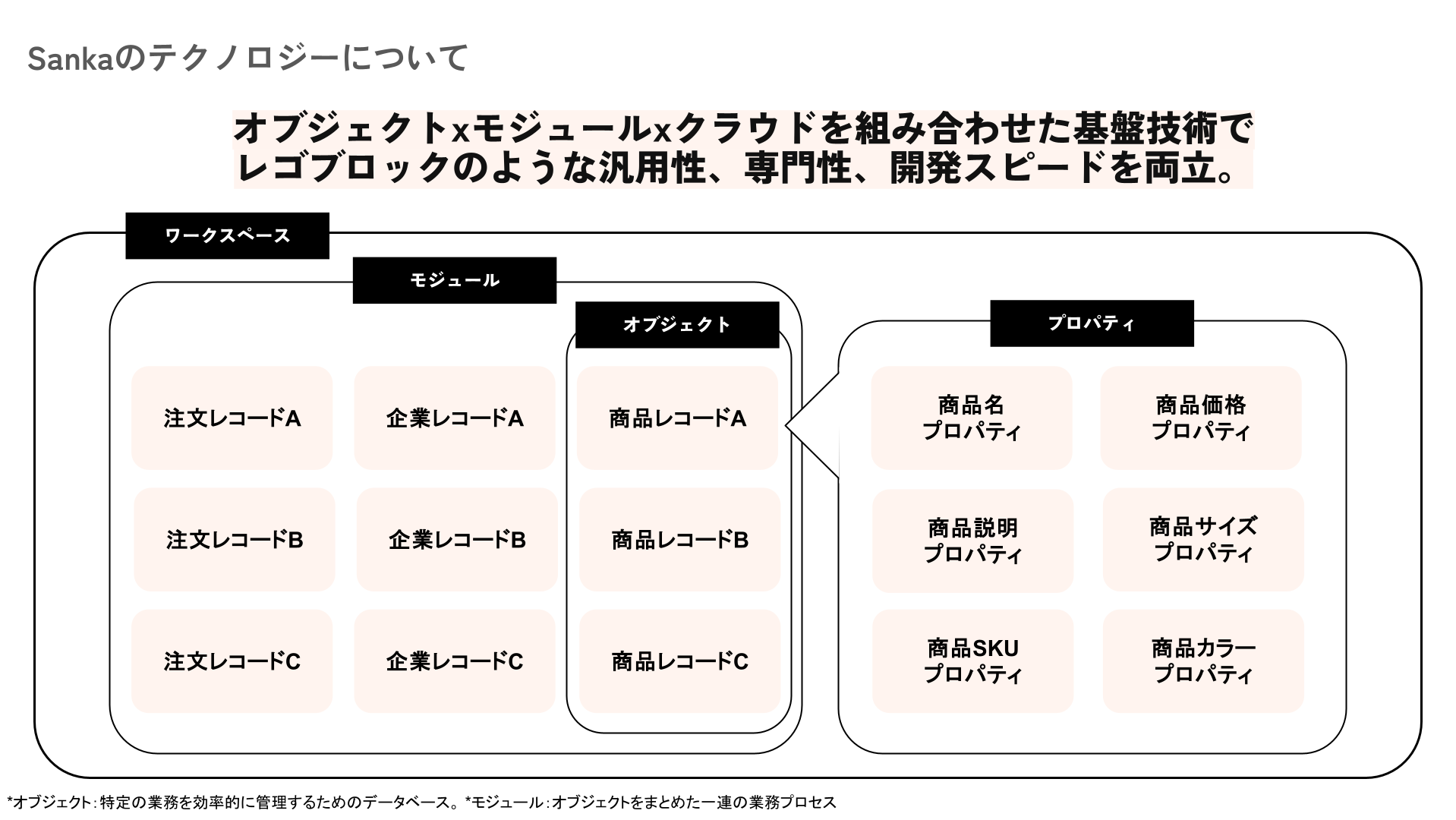
Workspace
In Sanka, a workspace is the group account your organization uses.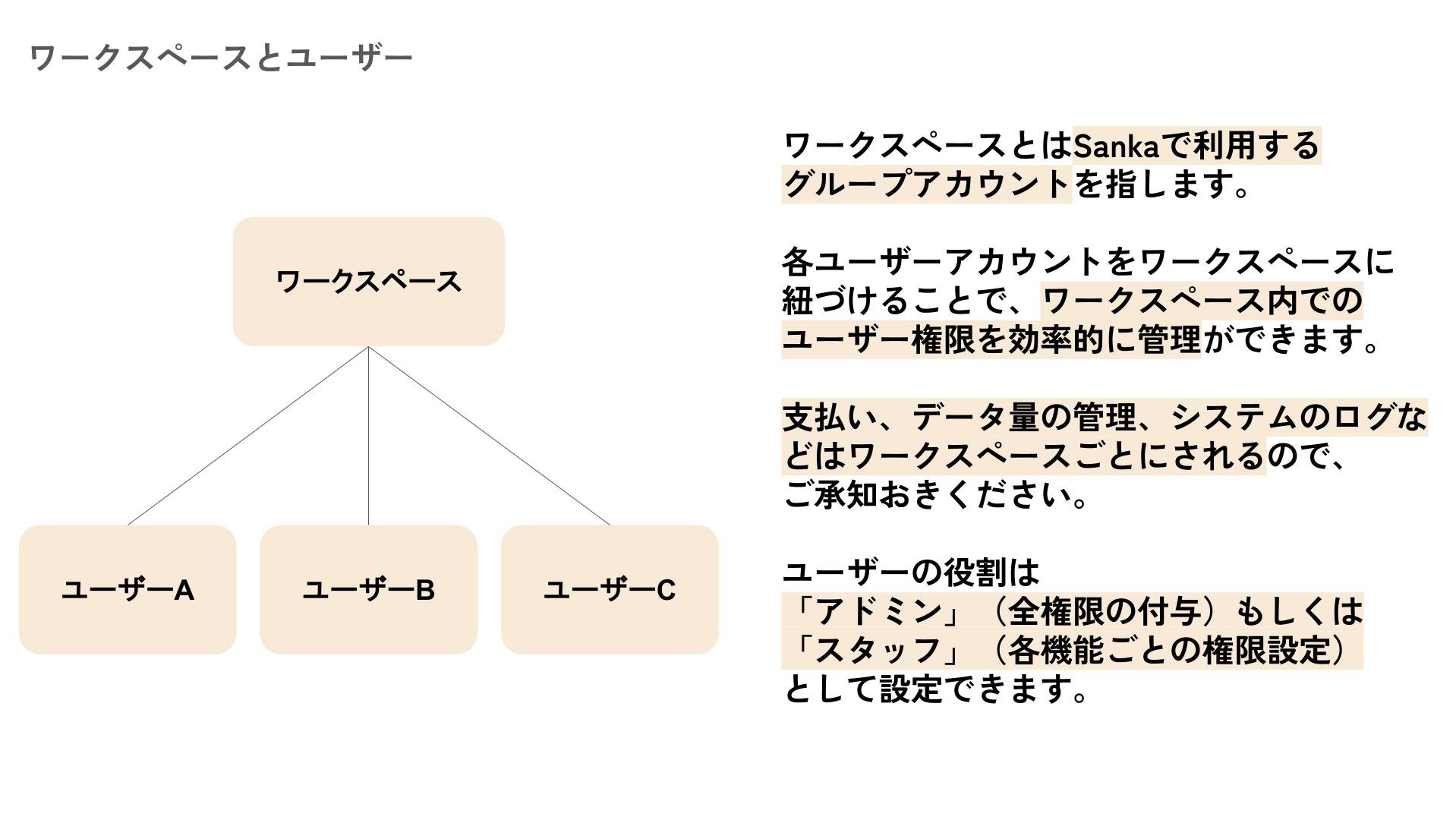 By linking user accounts to a workspace, you can manage roles and permissions in one place.
Billing, data usage, and system logs are managed per workspace.
What you can do in a workspace:
By linking user accounts to a workspace, you can manage roles and permissions in one place.
Billing, data usage, and system logs are managed per workspace.
What you can do in a workspace:
- Configure settings such as currency, timezone, and user permissions.
- Access Sanka solutions and manage them to fit your business needs.
- Share access with team members, assign roles, and collaborate smoothly.
Object
An object is a database that manages a specific business area. For example, product data is stored in the Item object, and order data is stored in the Order object. See the full list of objects here: Object list.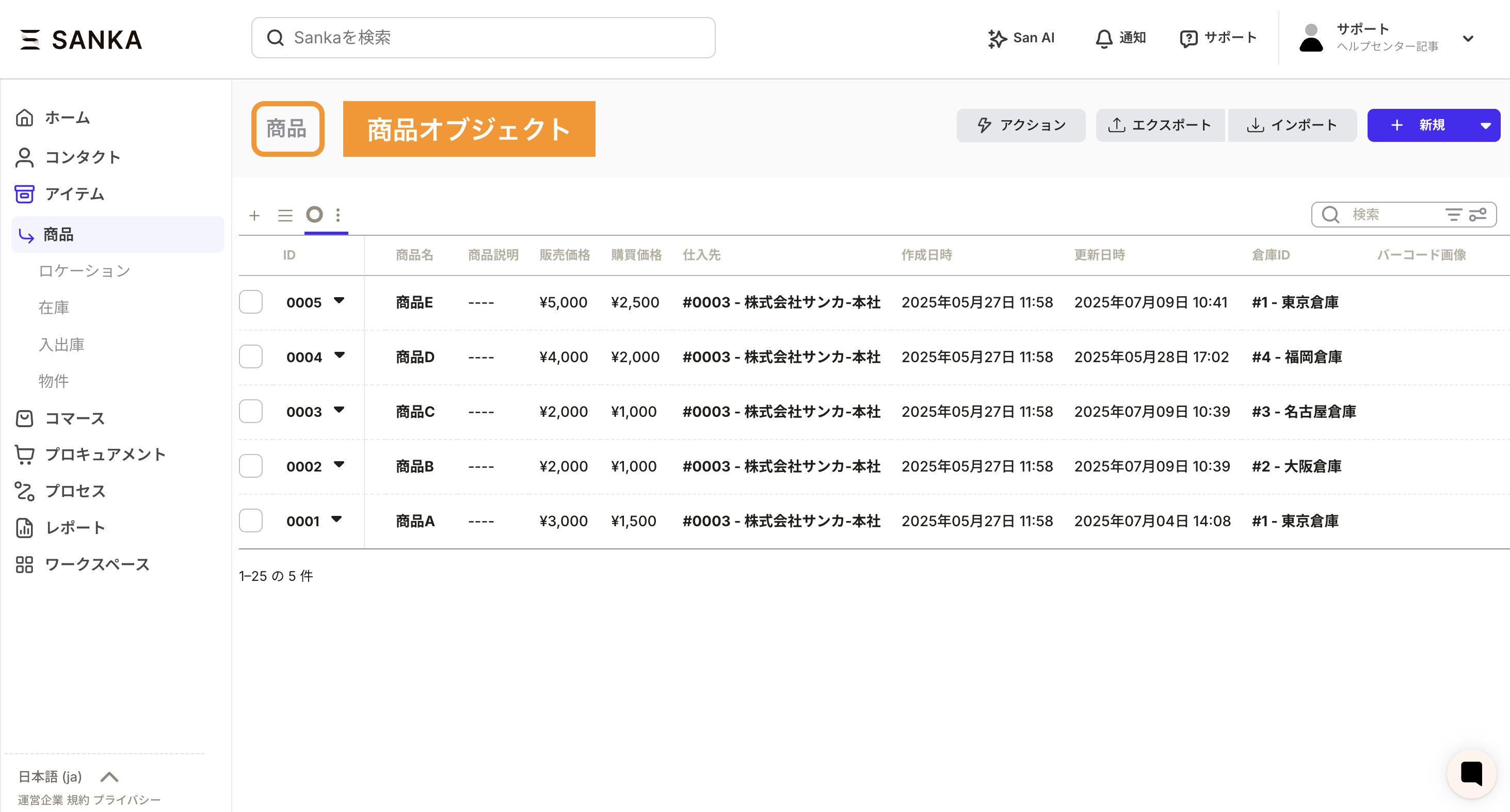
Module
A module is a group of objects. By combining objects within a module, you can build workflows for each department or company-wide processes. See how to create and manage modules.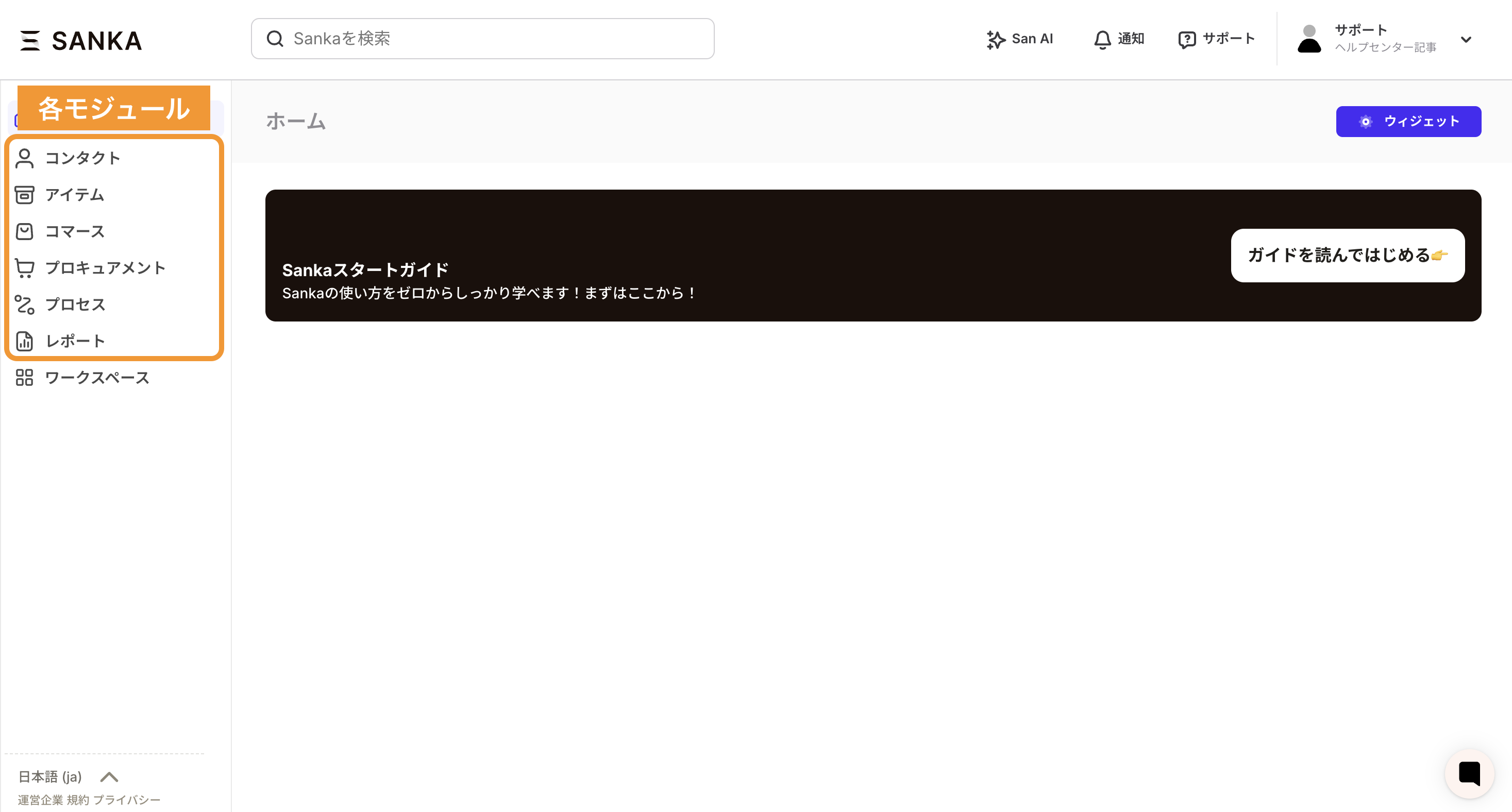
Property
A property is a data field, such as item name, item description, or sales price. In spreadsheet terms, it is a column. See how to create and manage properties.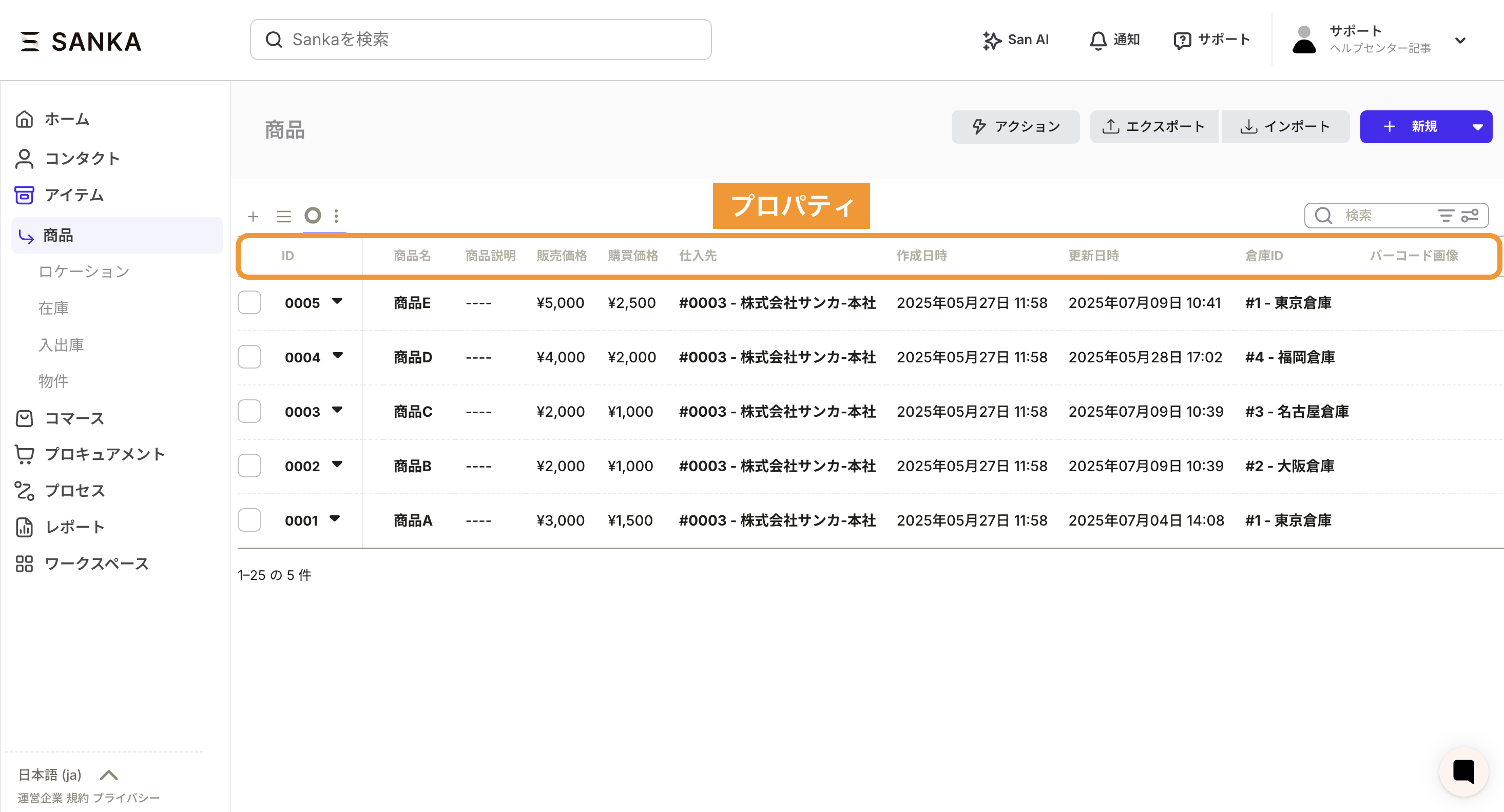
Record
A record is a single data entry inside an object. For example, Product A and Product B are separate records. In spreadsheet terms, it is a row.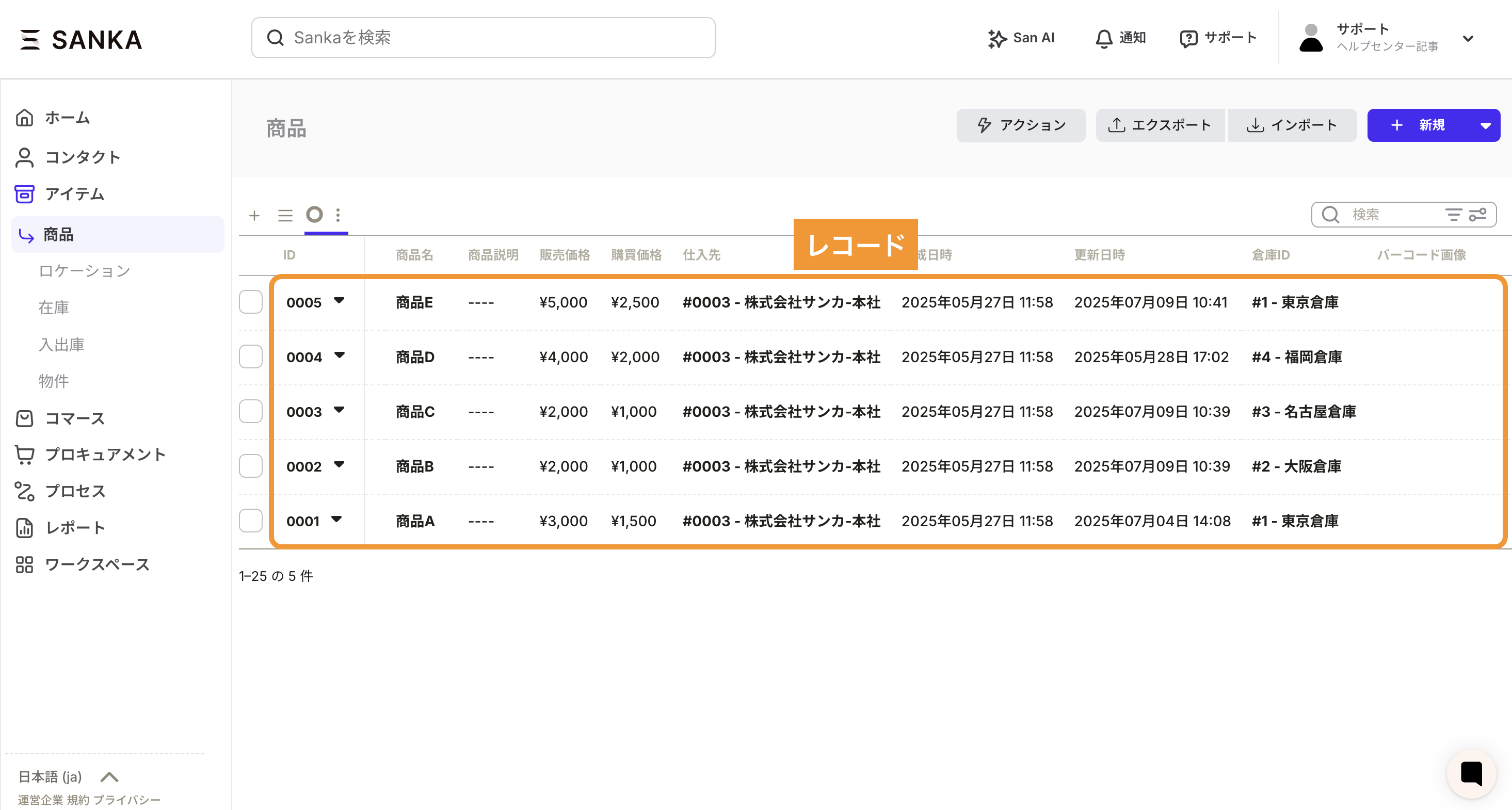
Tools
Sanka includes native tools for entering, analyzing, and automating record data.- Workflow: Automatically update or create records based on conditions, with no code. Learn more: Workflow.
- Messages: Centralize communication tied to objects and avoid handoff gaps. Learn more: Messages.
- Reports: Aggregate, filter, and visualize object data in real time. Learn more: Reports.
- Dashboards: Combine reports to see the right metrics for each team or role in a single view. Learn more: Dashboards.
Integrations
Sanka can connect to external services and internal systems to keep object data fresh and expand automation.- Use built-in integrations: See supported apps and tools in the Integrations list. Connect them from the “Integrations” menu in your workspace.
- Extend with APIs: If a dedicated connector is not available, see the API integration guide and implement the data mapping you need.
- Combine with automation: Pair integrated data with workflows and reports to streamline notifications, updates, and monitoring end to end.