Skip to main content
Sanka Docs home page
Document
Developers
Partners
Search...
Navigation
EC-cube連携
Search...
⌘K
Home
Documentation Home
Get Started with Sanka
Admin Onboarding Checklist
Product Updates
Product Guides
Workspace
Objects
Tools
Troubleshooting
Integration Guides
CRM
Communication
Commerce, Payment, ERP
Sales Guides
Basic Flow: Company Registration → Estimate → Order : Make and send estimates
Portal / EDI -> Orders : Set up Portal/EDI to get orders
Manage subscription orders
Send Invoices and collect payments (AR)
English
EC-cube連携
Copy page
EC-cube連携について
Copy page
*EC-Cube 3系、もしくはそれ以前のの対応は行なっておりません。あらかじめご了承くださいませ。
*BASIC認証がかかっている場合、連携が出来ませんので、あらかじめ外した状態で連携を行なってください。
まず初めに、以下のアプリをダウンロードし、EC-Cubeにインストールします。
https://www.ec-cube.net/products/detail.php?product_id=2121
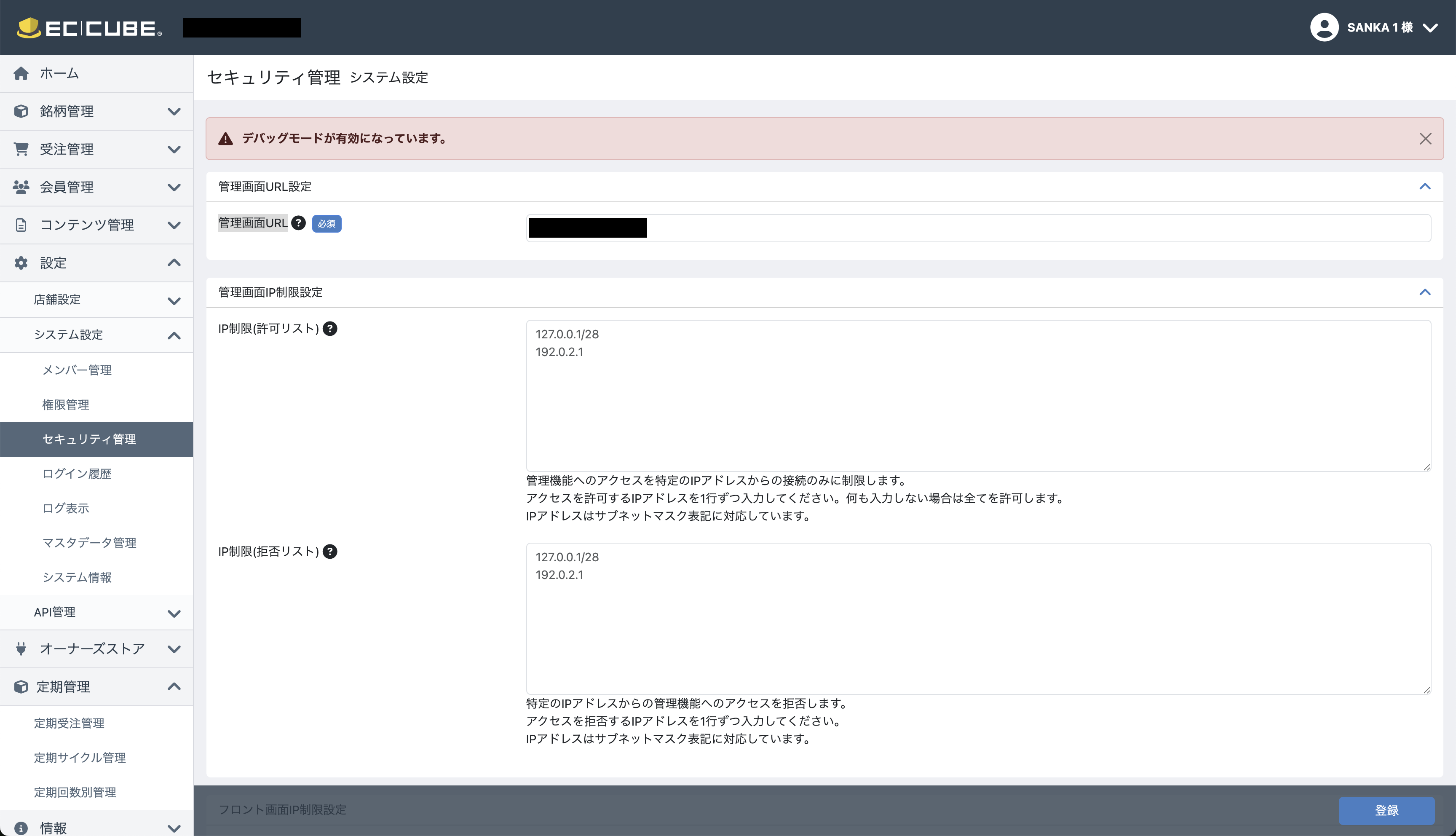
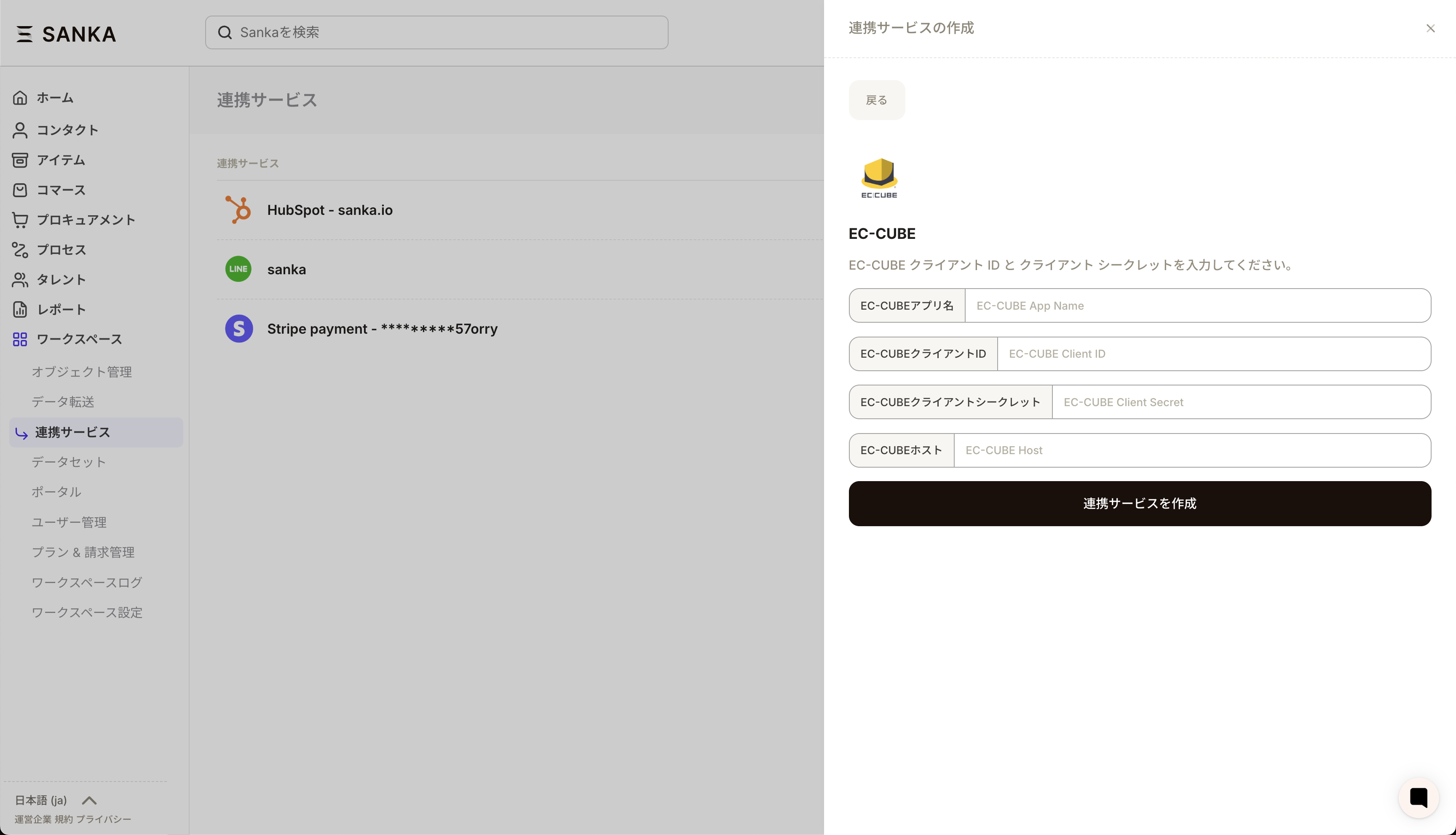
情報を取得後、EC-Cube管理画面から管理画面URL、クライアントID、クライアントシークレット、ホスト情報(ECサイトのURLとなります)を取得します。
上記の情報を、Sankaの連携ページに追加します。これで準備が整いました。
⌘I


 上記の情報を、Sankaの連携ページに追加します。これで準備が整いました。
 上記の情報を、Sankaの連携ページに追加します。これで準備が整いました。