

Platform-specific guides
Start with connecting and migrating your existing data.HubSpot integration
Automatically sync customer and deal data from HubSpot to Sanka.
Salesforce integration
Sync Salesforce leads, accounts, and opportunities to Sanka, then connect the back office after closing.
Shopify integration
Sync Shopify orders, products, and inventory to Sanka to automate inventory, shipping, and billing.
Stripe integration
Import Stripe payment data and centralize billing and collections in Sanka.
Function-based guides
Unify deals across channels and manage quotes, orders, delivery, and billing in one flow.Sales operations
Learn how to manage sales end to end, from orders to inventory allocation, invoicing, and payments.
Billing management
Organize invoicing, delivery, payment confirmation, reconciliation, AR, and accounting integration.
Subscription management
Covers subscription setup, recurring billing, payment and cancellation handling, and KPI tracking.
Portal / EDI -> Orders
Set up a portal or EDI flow so order data can enter Sanka with less manual follow-up.
Procurement and purchasing
Standardize procurement from supplier management to purchasing, receiving, billing, and accounting integration.
Inventory management
Start with inventory and location setup, manage stock movements, and reduce stock discrepancies.
Accounts receivable
Automate payment management, reconciliation, and AR with AI and workflows.
Accounts payable
Centralize AP and payments, and prevent misses or duplicates with AI capture and approvals.
Expense management
Auto-route approvals by amount and track requests through reimbursement.
Sanka core concepts
Before you move into setup and daily operations, it helps to understand the core building blocks used across Sanka.The Sanka framework
Sanka combines workspaces, modules, objects, properties, and native tools so teams can manage operations in one connected system.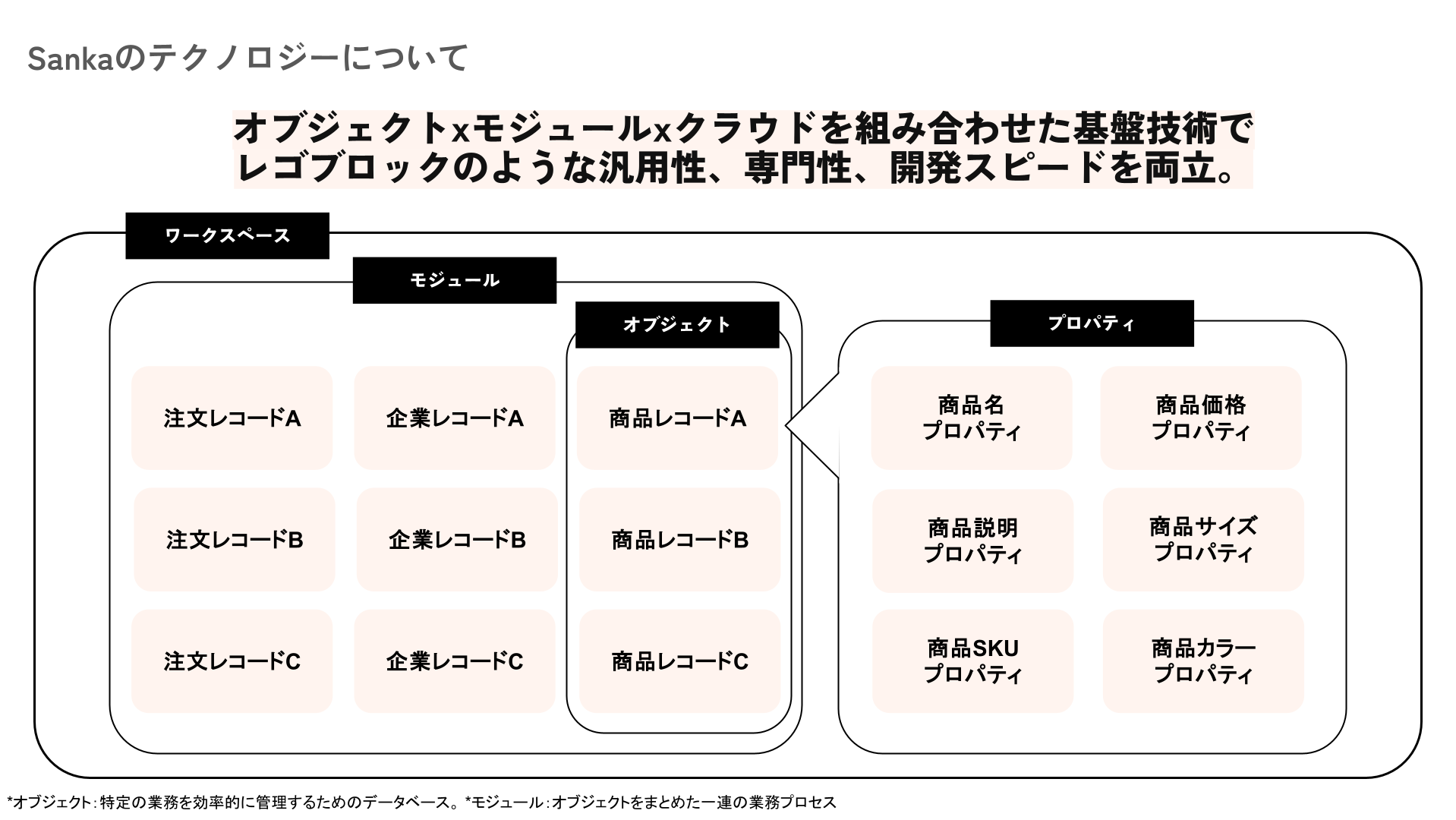
Workspace
A workspace is the group account your organization uses in Sanka. By linking user accounts to a workspace, you can manage permissions, billing, data usage, and system logs in one place. What you can do in a workspace:- Configure settings such as currency, timezone, and user permissions.
- Manage access for team members and assign the right roles.
- Add and manage the modules your team needs.
Object
An object is a database that manages a specific business area. For example, product data is stored in the Item object, and order data is stored in the Order object. See the full list here: Object list.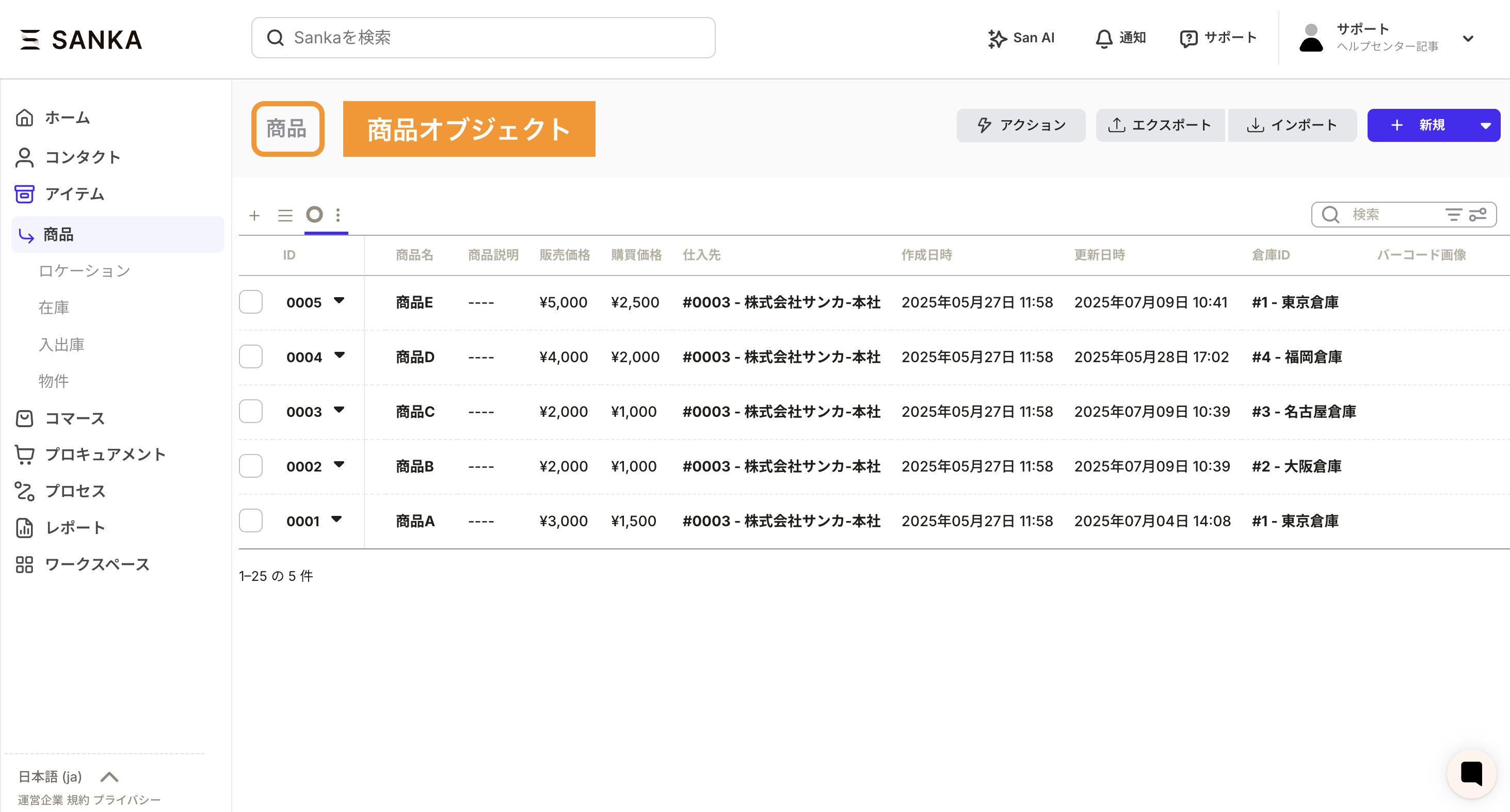
Module
A module is a group of related objects. By combining objects within a module, you can build workflows for each department or across the whole company.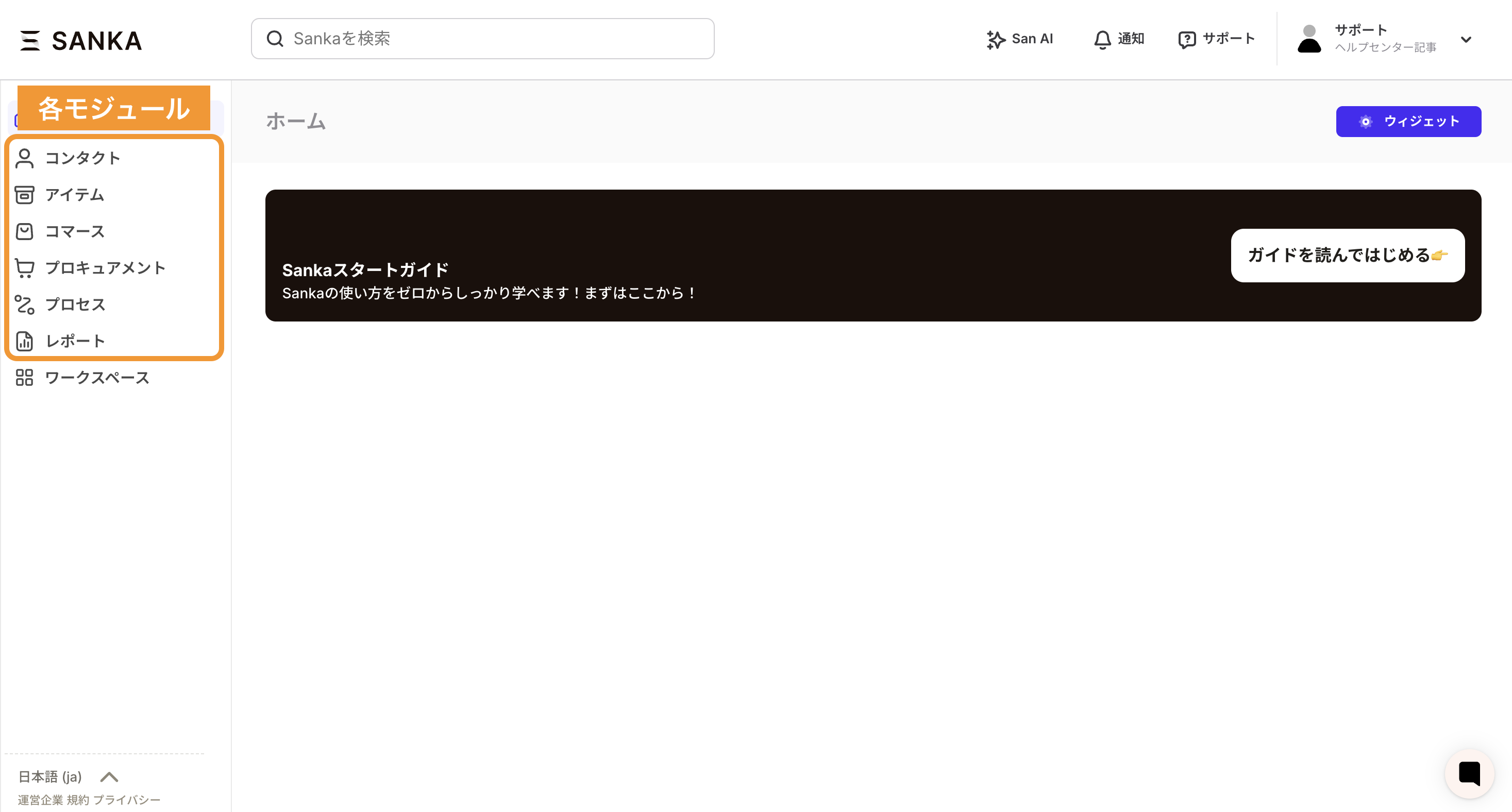
Property
A property is a data field, such as item name, item description, or sales price. In spreadsheet terms, it is a column.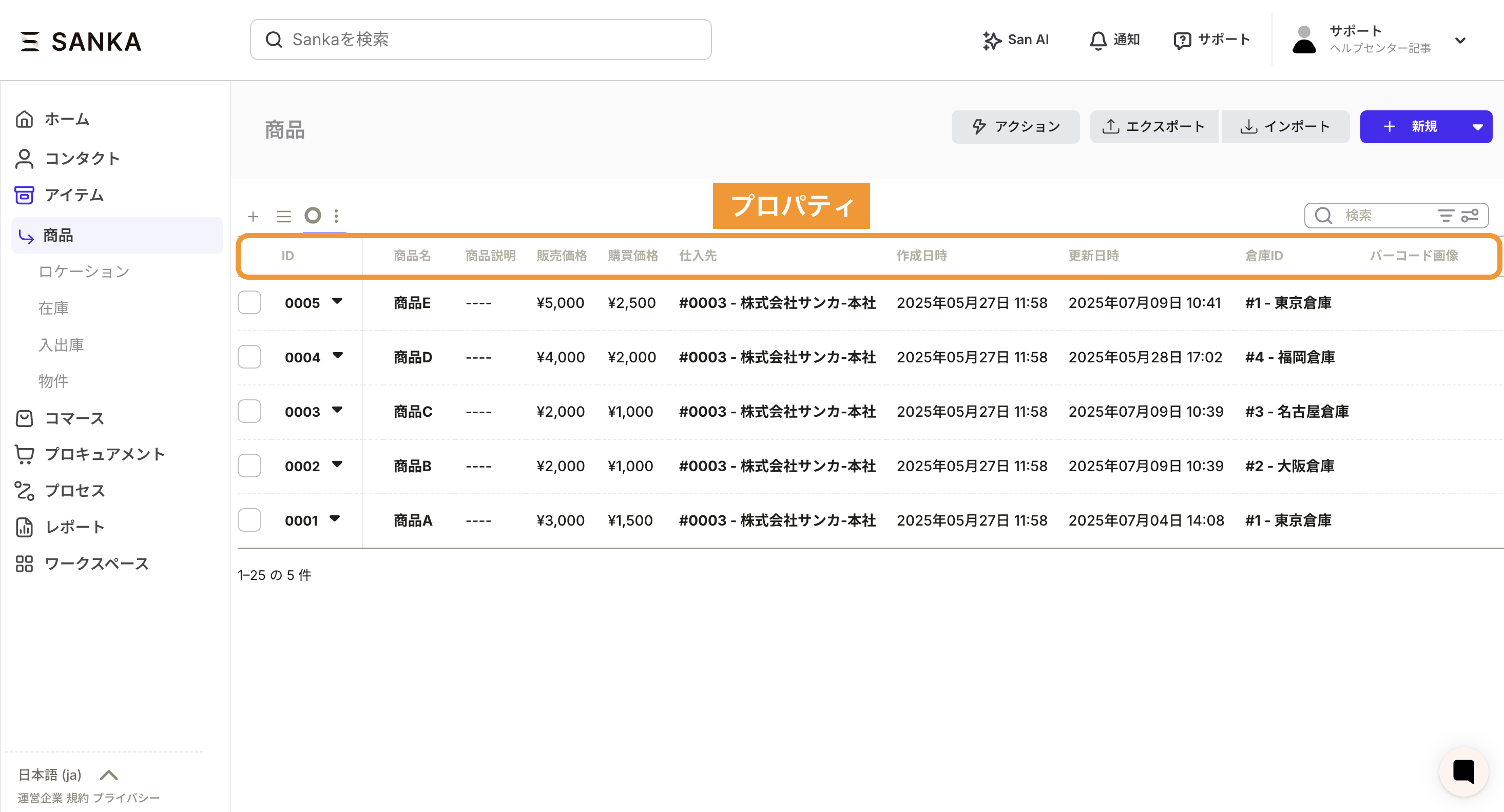
Record
A record is a single data entry inside an object. In spreadsheet terms, it is a row.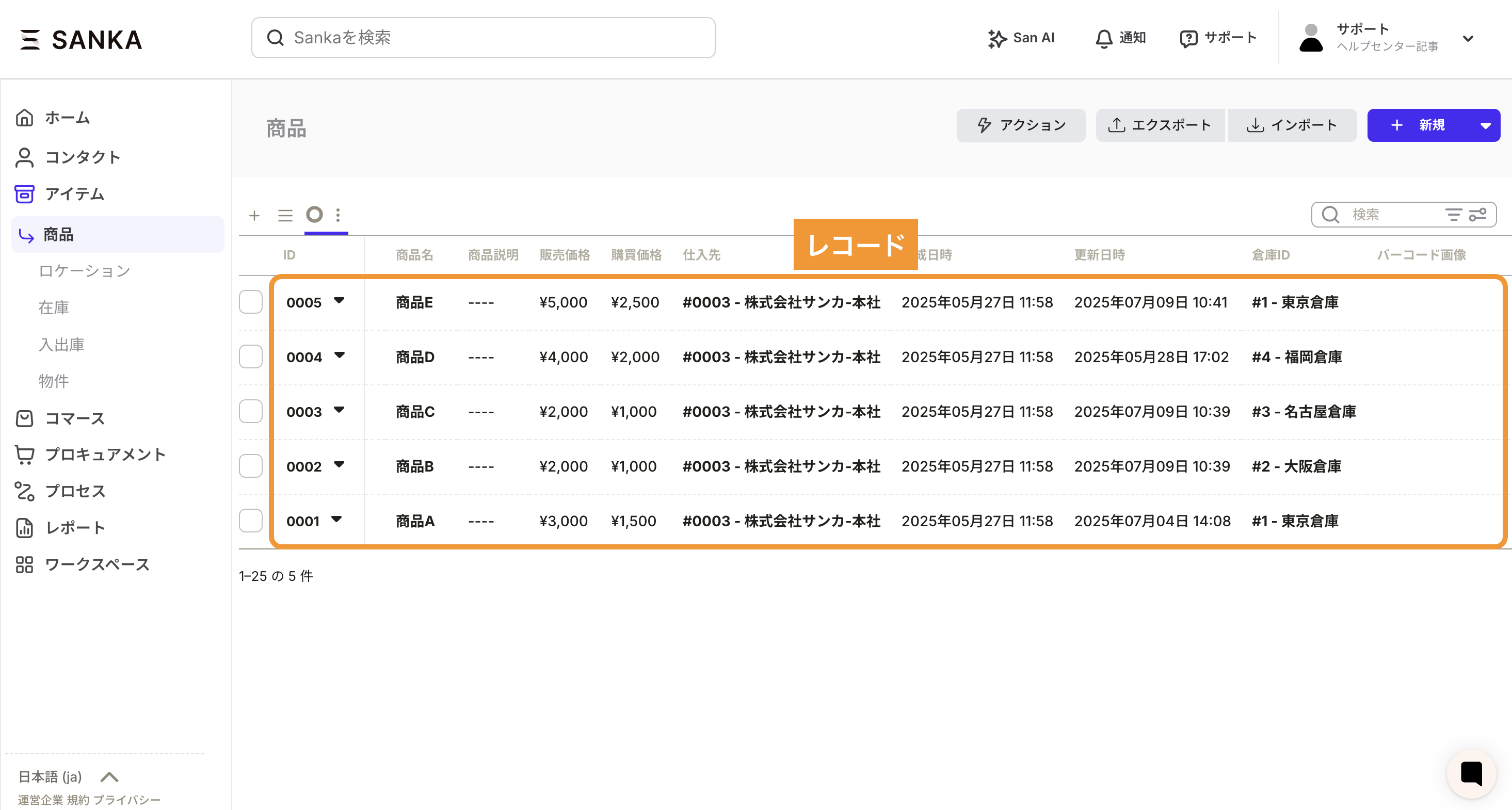
Tools
Sanka includes native tools for entering, analyzing, and automating record data.- Workflow: Automatically update or create records based on conditions, with no code. Learn more: Workflow.
- Messages: Centralize communication tied to objects and avoid handoff gaps. Learn more: Messages.
- Reports: Aggregate, filter, and visualize object data in real time. Learn more: Reports.
- Dashboards: Combine reports to see the right metrics for each team or role in a single view. Learn more: Dashboards.
Integrations
Sanka can connect to external services and internal systems to keep object data fresh and expand automation.- Use built-in integrations: See supported apps and tools in the Integrations list. Connect them from the “Integrations” menu in your workspace.
- Extend with APIs: If a dedicated connector is not available, see the API guide and implement the data mapping you need.
- Combine with automation: Pair integrated data with workflows and reports to streamline notifications, updates, and monitoring end to end.