

Guide Overview
Sanka has a specification that “properties in use” that have values in records cannot be deleted. To delete a property, you must first empty all values of the property.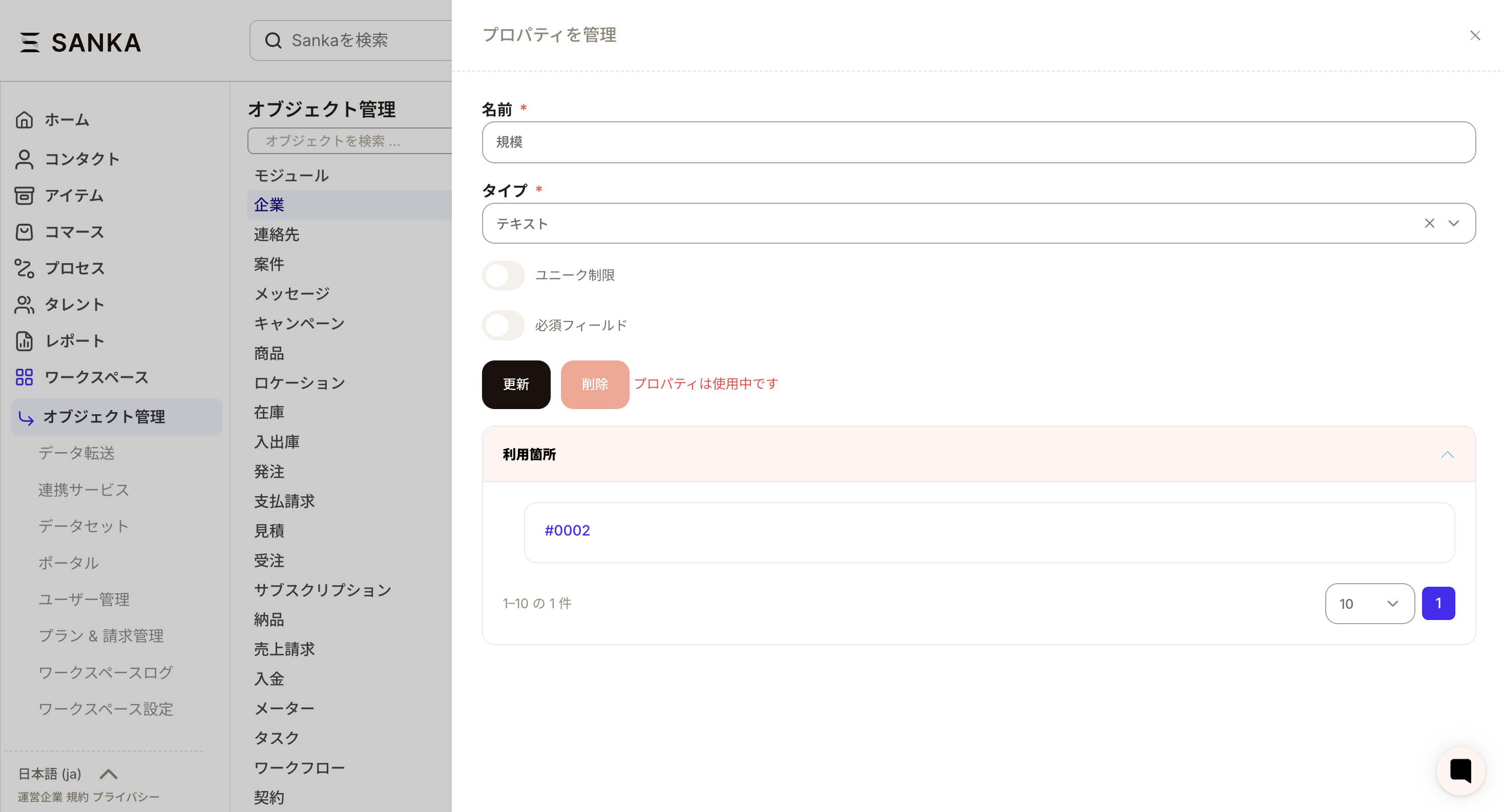
Advance preparation
- You have editing privileges for the target object.
- The relevant parties have confirmed whether it is okay to delete the relevant property.
Flow of response
- Empty the values of target properties all at once
- Delete the property after making sure the value is empty
Empty the value (bulk edit of records)
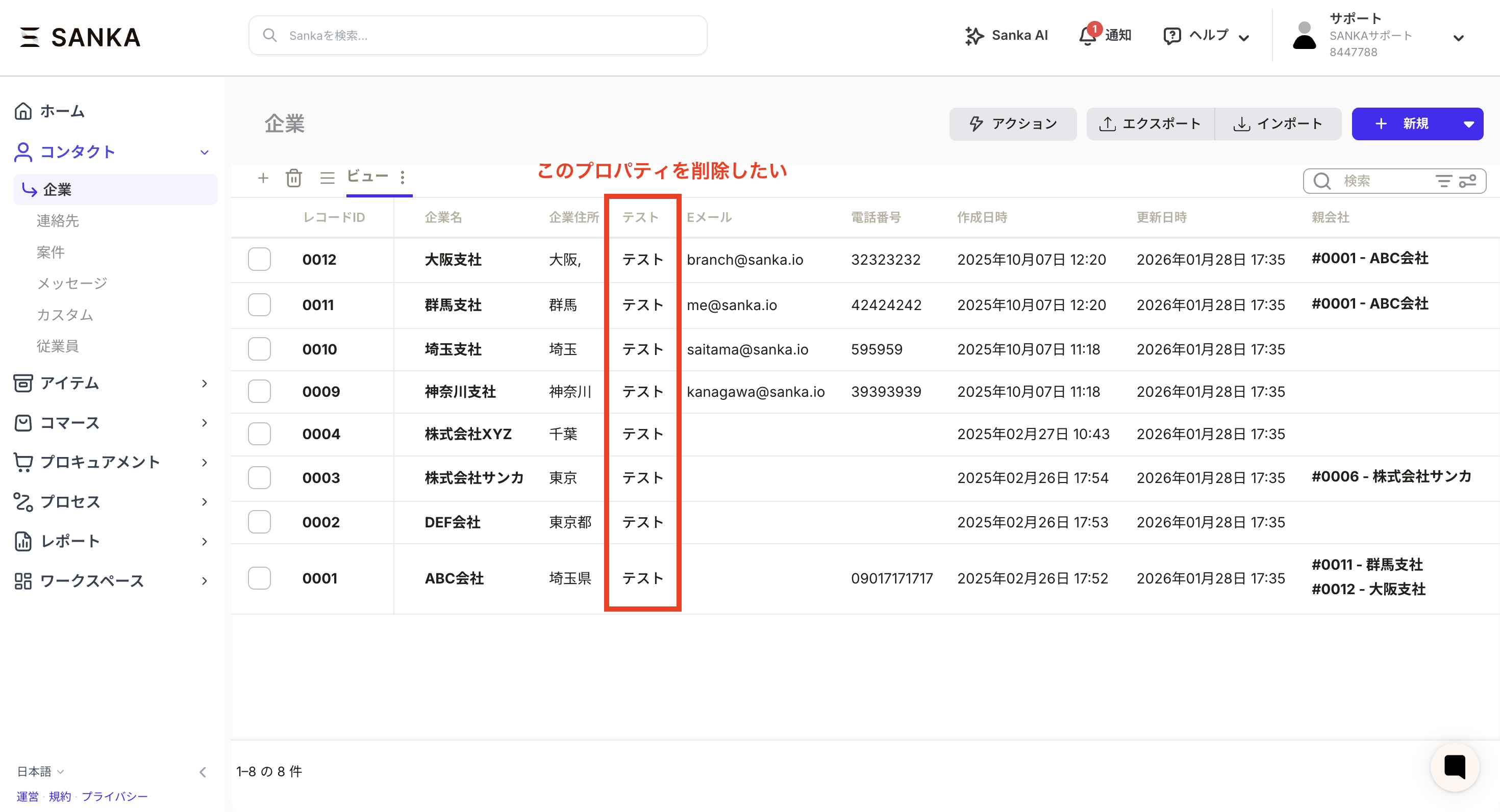
- Open the record list for the target object.
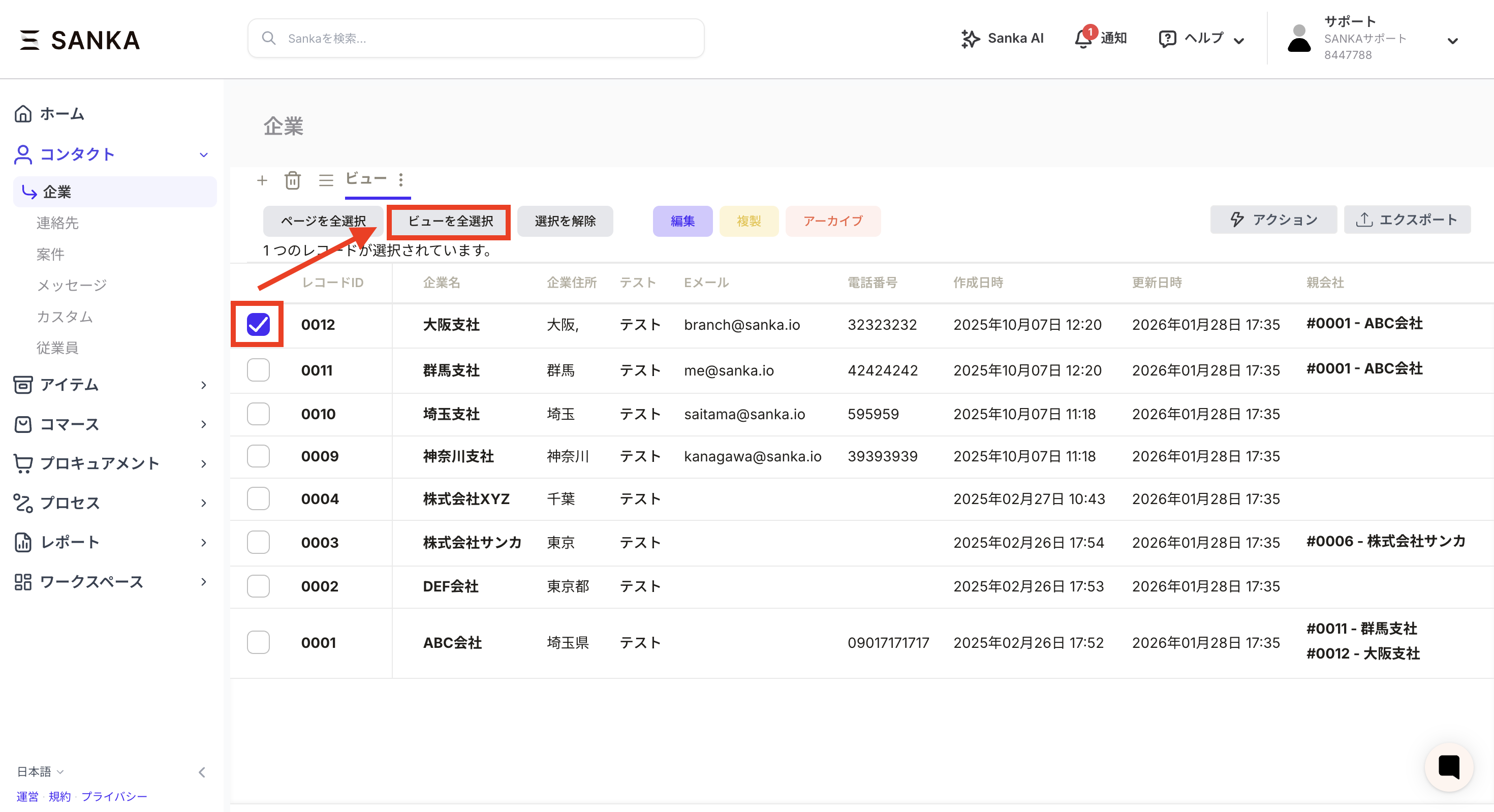
- Select all records at once. Click the check next to the record ID and press the “Select all views” button that appears.
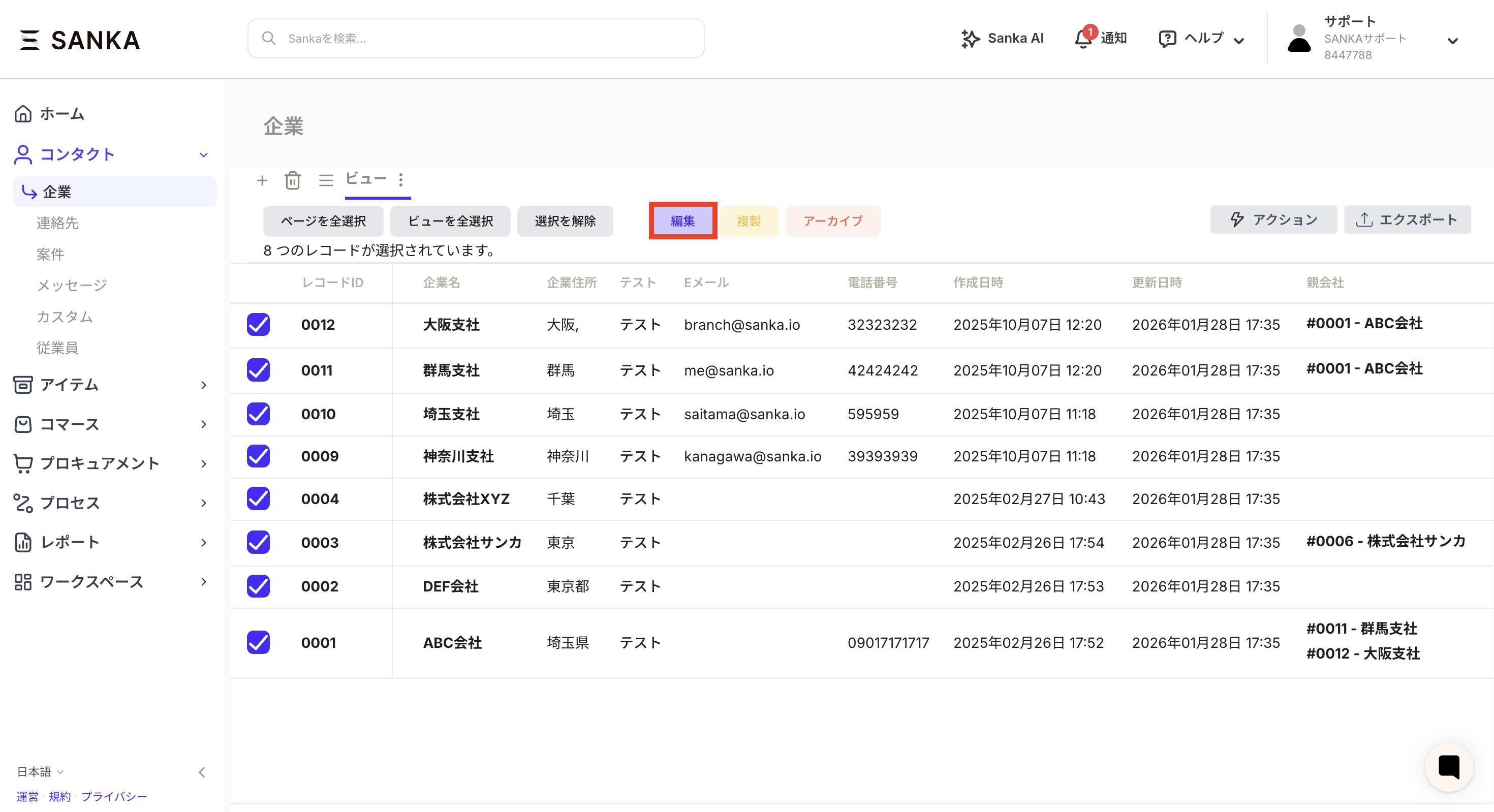
- Click the Edit button. Make sure all records are selected before executing.
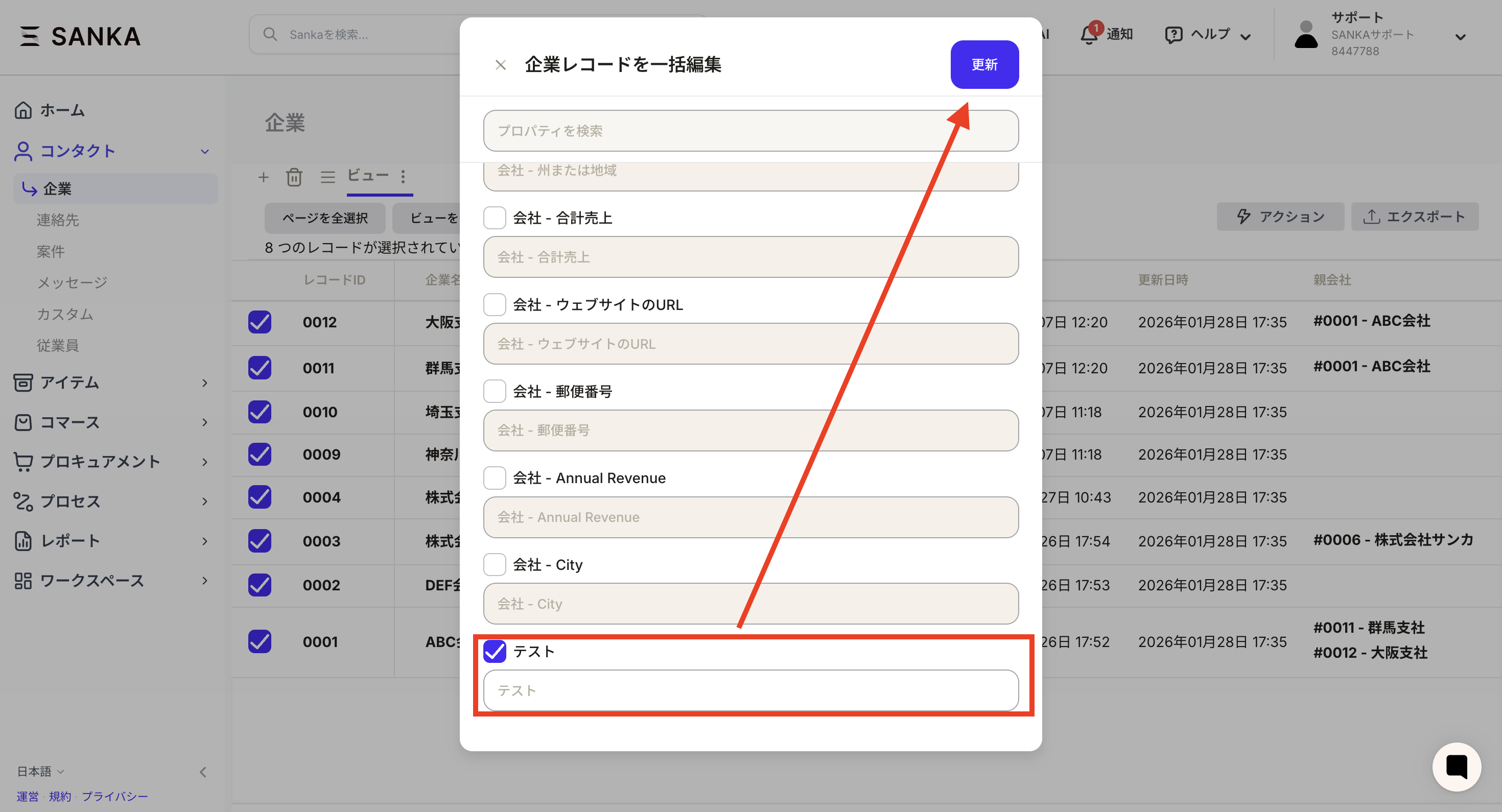
- Select the relevant property on the bulk edit screen and leave it blank press the update button.
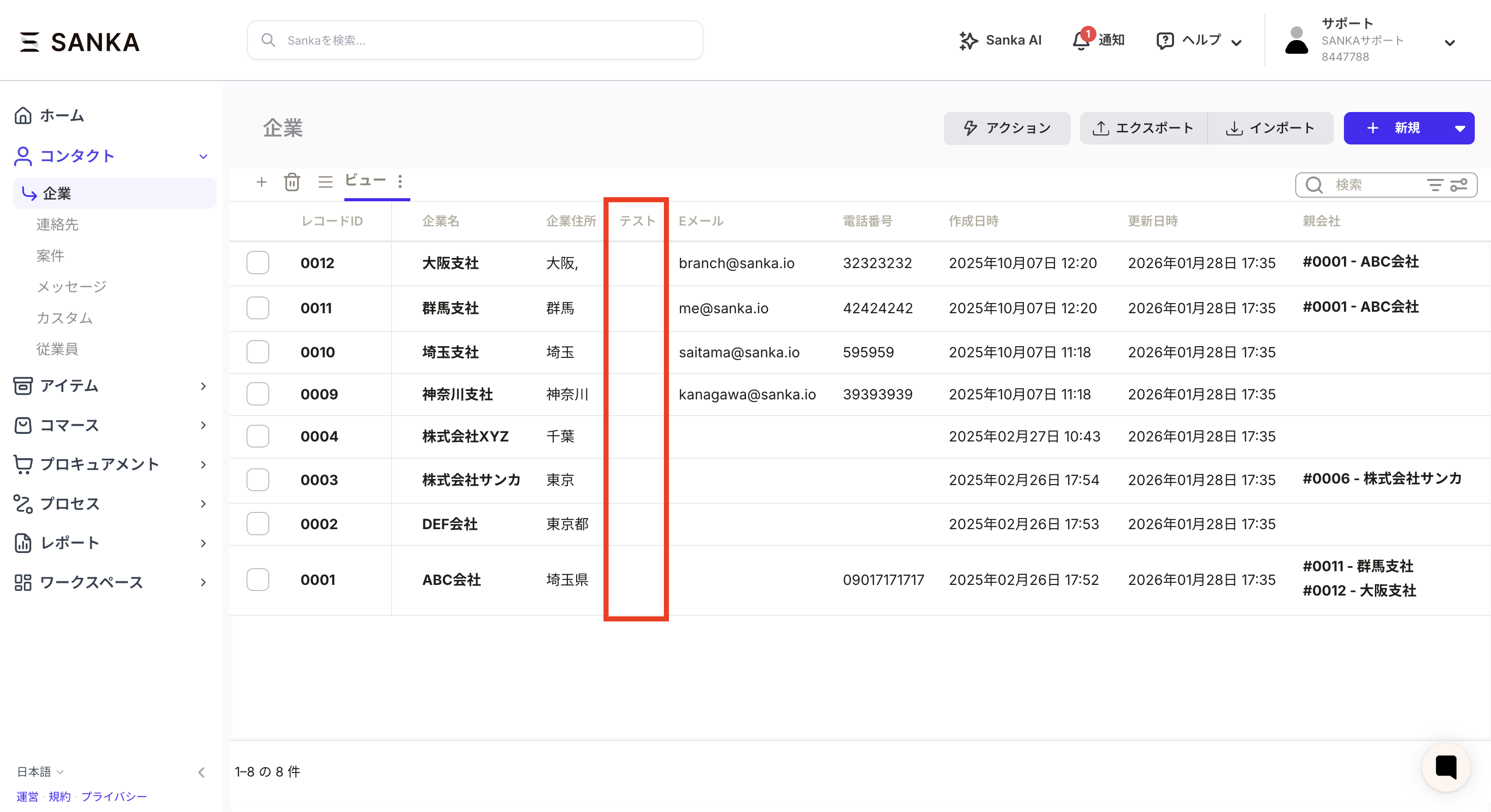
- Confirm that the record information value has disappeared.
Delete property
Once the record has all empty values, you can delete the property.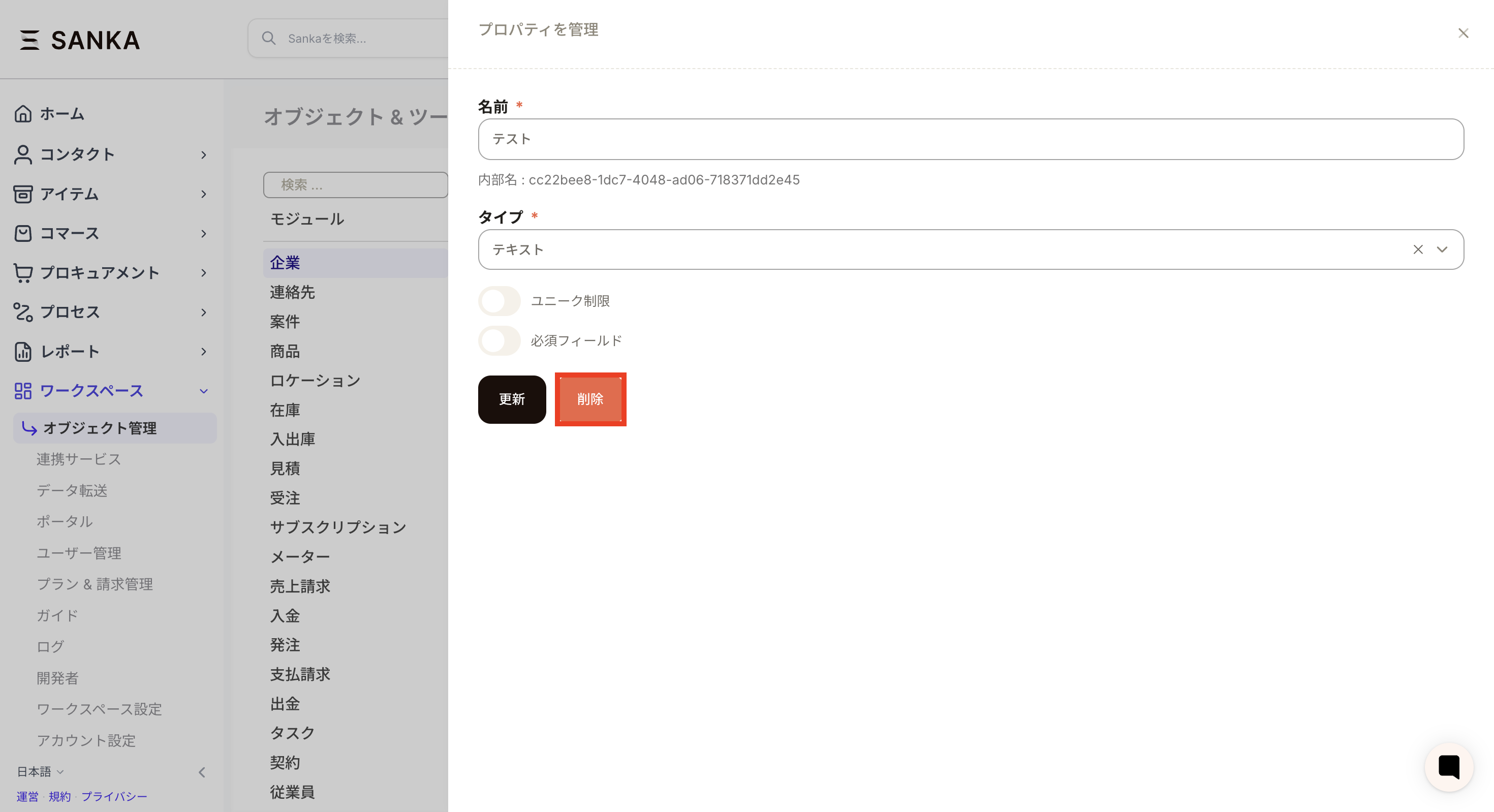
Points to note
- Please be careful as the record information will be completely deleted if you empty the value in bulk editing.
- It is safe to perform a CSV export for backup before deleting.