

Guide Overview
We organize the entire process from creating sales invoices to recording receipts and converting them to journal entries to prevent discrepancies between billing and accounting.Advance preparation
- Creation of sales invoice/receipt/journal objects/ have editing privileges
- Master data such as business partners, accounts, tax rates, etc. is maintained.
Related pages
Step 1: Create a claim
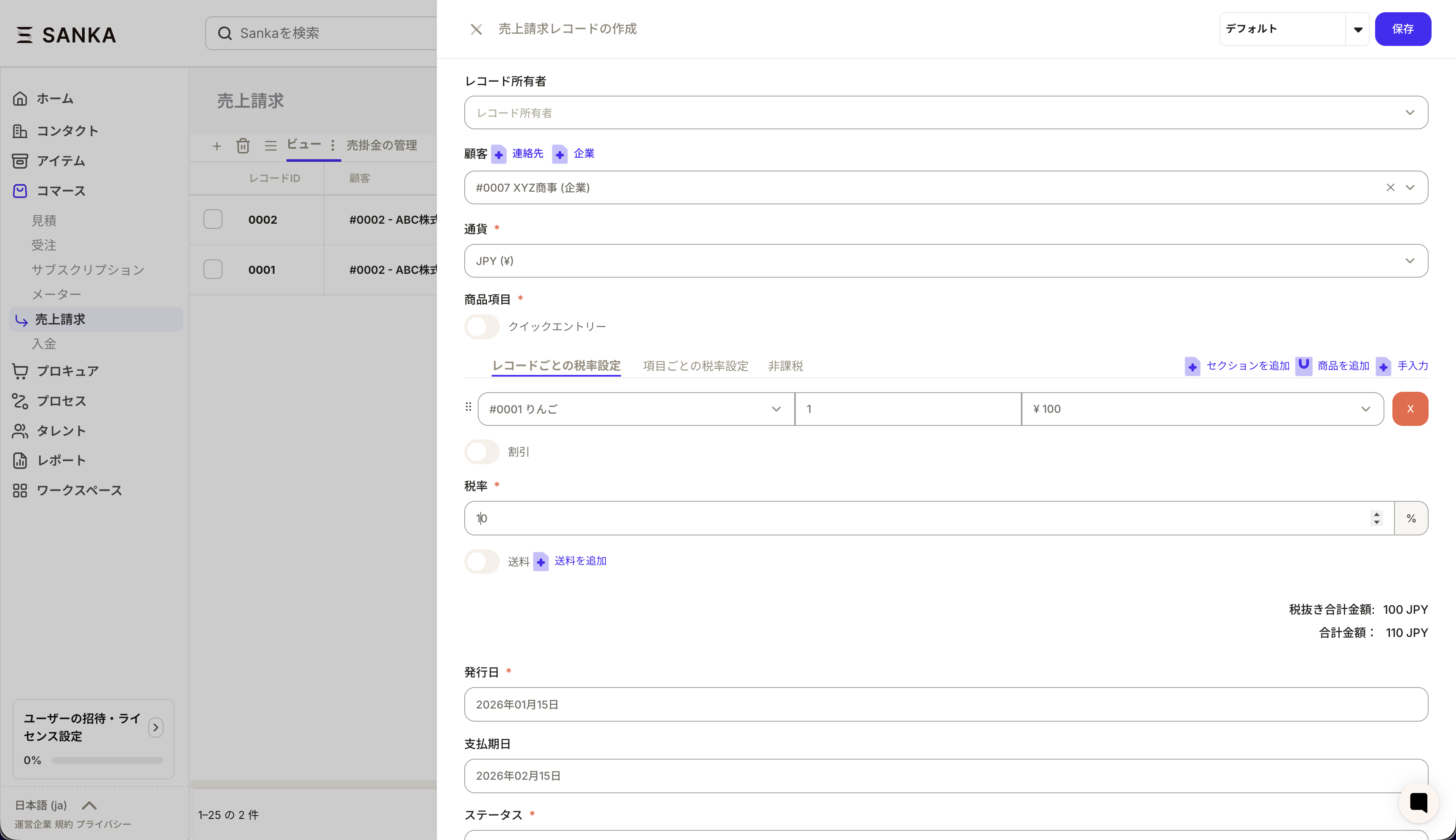
- Open Billing in the left menu and click New in the top right.
- Enter Customer Information, Billing Date, Payment Due Date, Product Item, Tax Rate, and Status.
- Review the details, Create Billing Record and save.
Step 2: Convert invoice to journal entry
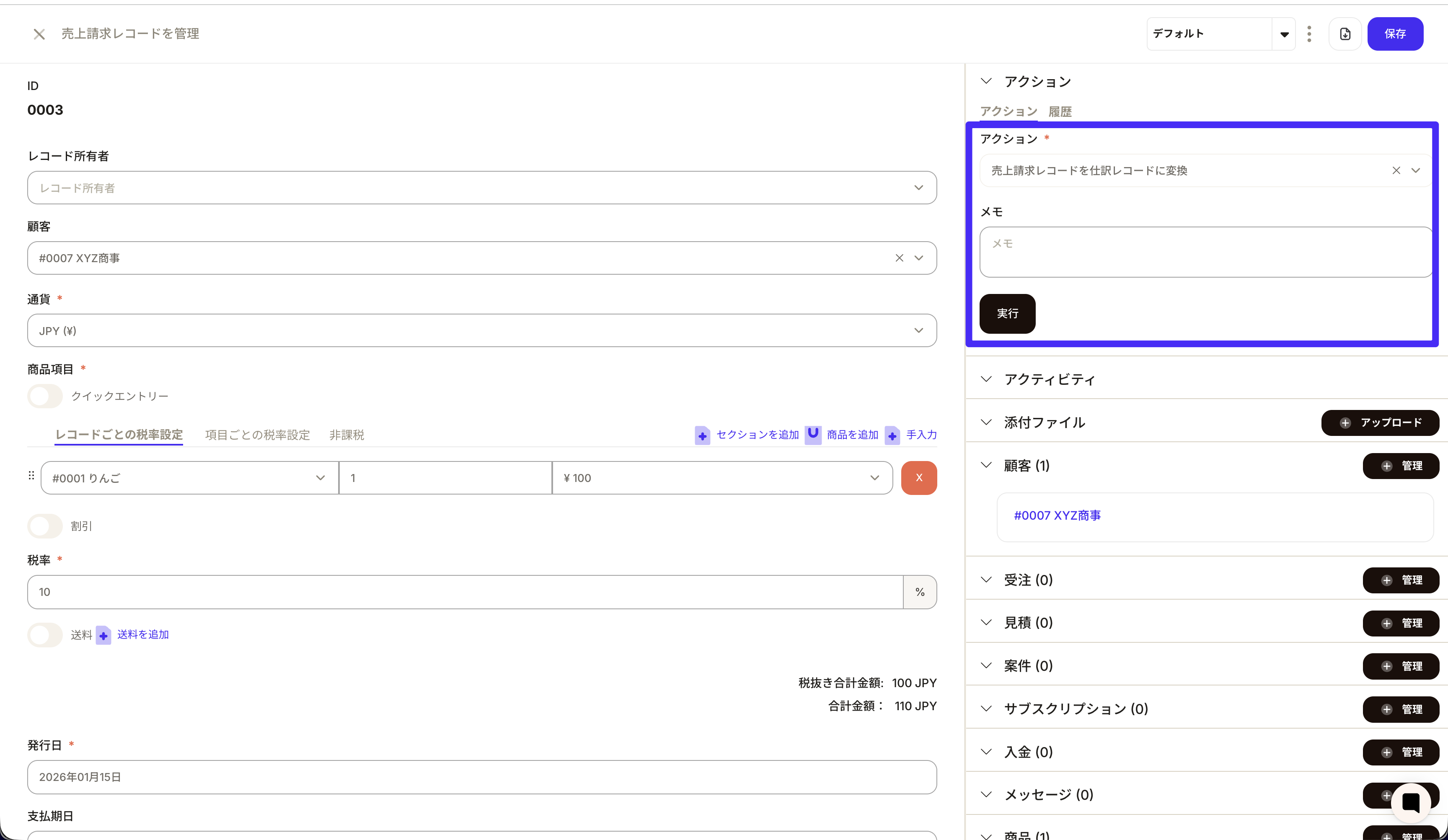
- Open the sales billing record you created.
- Select Create Journal from Actions at the top right of the record details page.
- Check the business partner, transaction date, tax rate, account item, and amount in the journal preview, and if there are no problems, create it.
Step 3: Create a deposit record
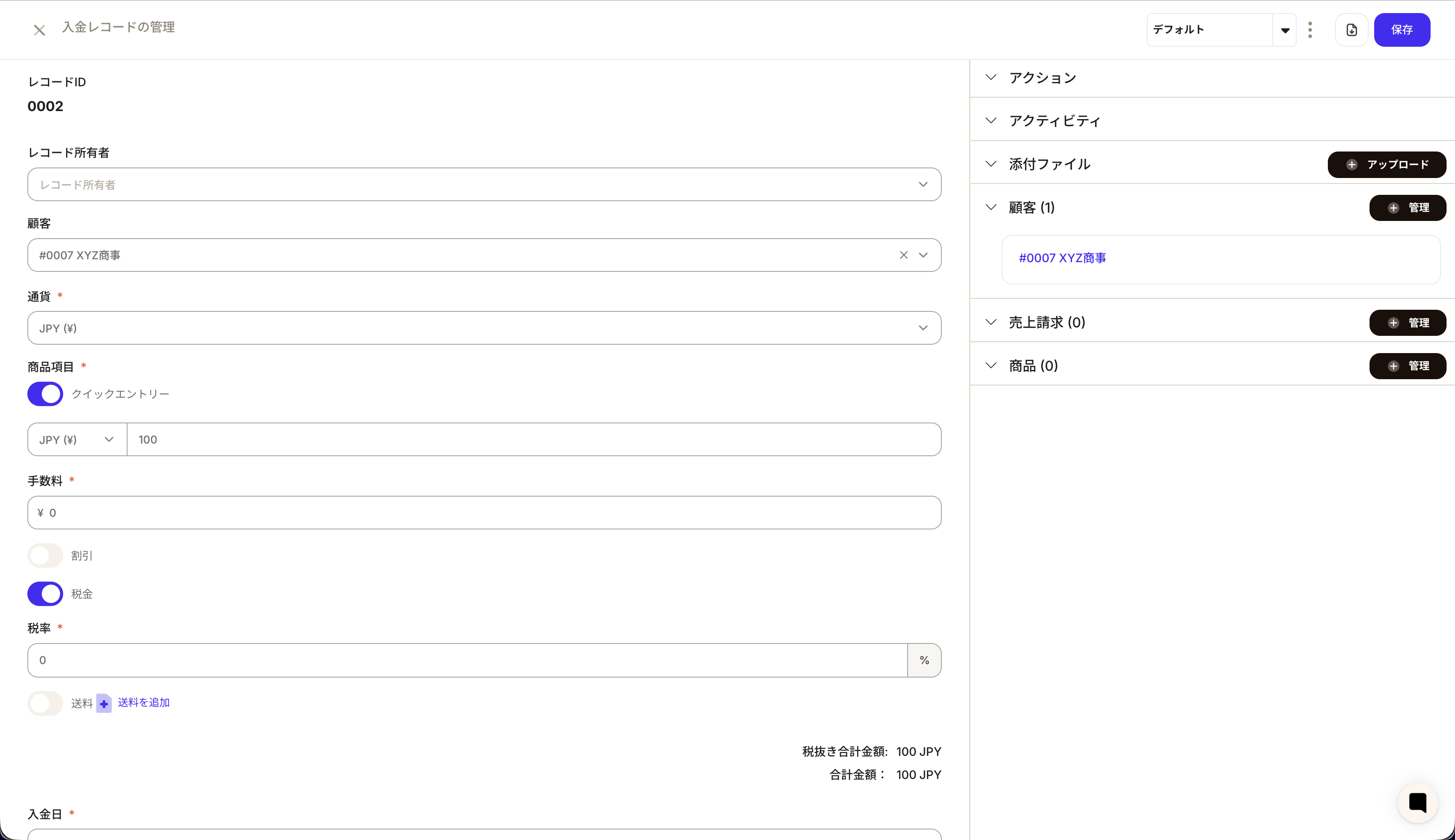
- Open Deposits in the left menu and click New in the top right.
- Enter Customer Information, Deposit Date, Amount, Currency, Tax Rate, etc.
- Associate with sales billing if necessary, Create record and save.
Step 4: Convert the receipt to a journal entry
- Open a receipt record.
- Select Create Journal from Actions.
- Check the journal amount, account, and tax rate, and create a deposit journal.
Operational points and troubleshooting
Operation points
- Prepare the basic items for journal entry: Be sure to prepare the following five items: business partner, transaction date, tax rate, account title, and memo.
- Unify input rules: Decide how to apply the tax rate (in record units /item unit/tax exempt) and rounding rules.
- Corrections are handled by updating: Journal records cannot be deleted, so errors can be managed by editing or archiving.
Troubleshooting
- Unable to create journal entry: Check whether the required items are included in the invoice or payment, and if any are missing, correct the original record.
- Amounts don’t add up: Check how tax rates are applied, rounding, and add adjustment lines if necessary.
- Invoice and deposit are out of sync: Review the rules for handling partial deposits and fees and check for any omissions in the association.