Step 1: Visit the Sanka website
First, visit the Sanka website. On the top page, click Start for free. Here is the sign-up link: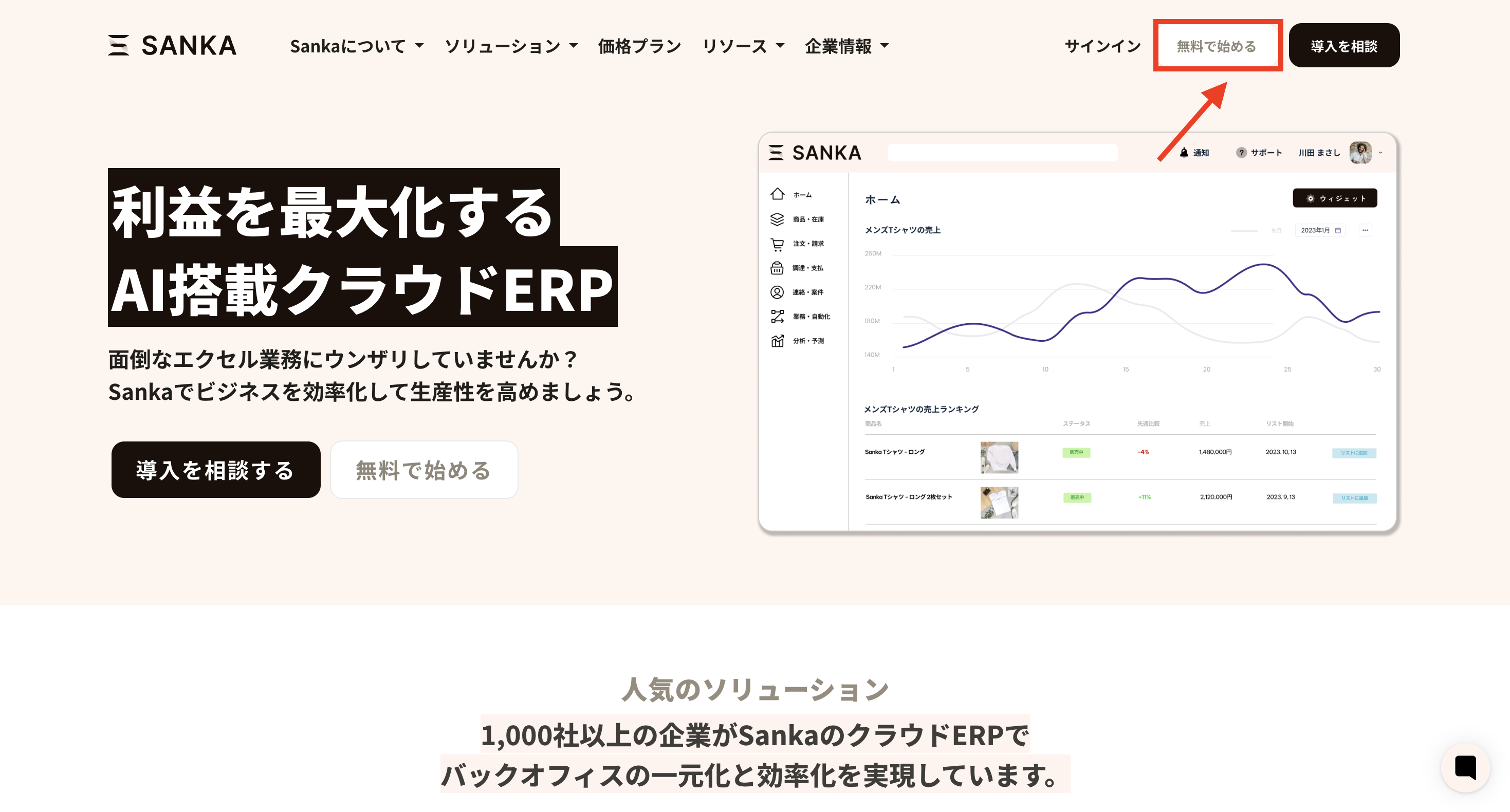
Step 2: Fill out the account creation form
Enter your company name, your name, email address, and phone number in the form.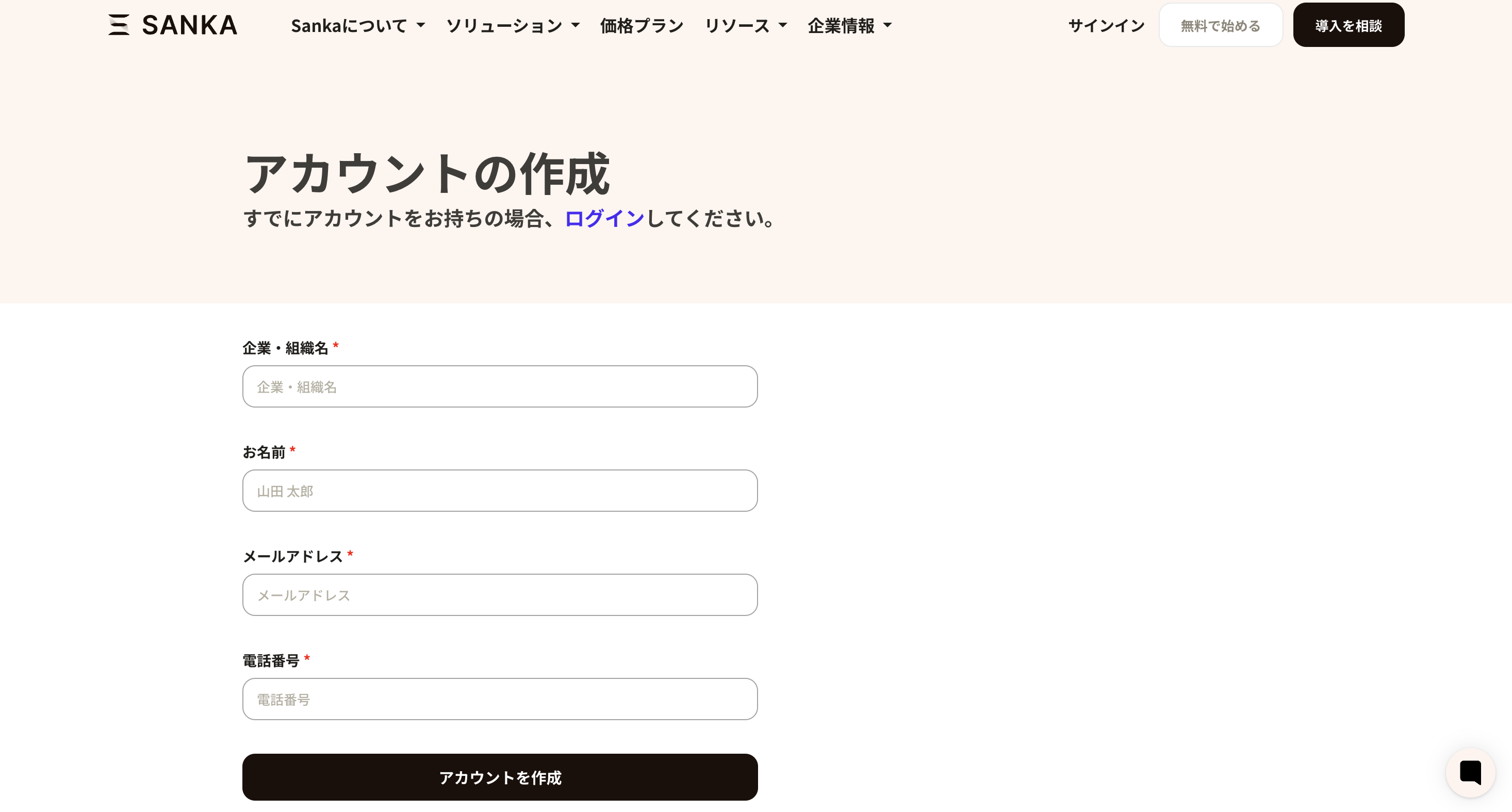
Step 3: Enter the verification code
After submitting, a verification code will be sent to your email address. Enter the code in the form. At the same time, set your login password. Your account is now created.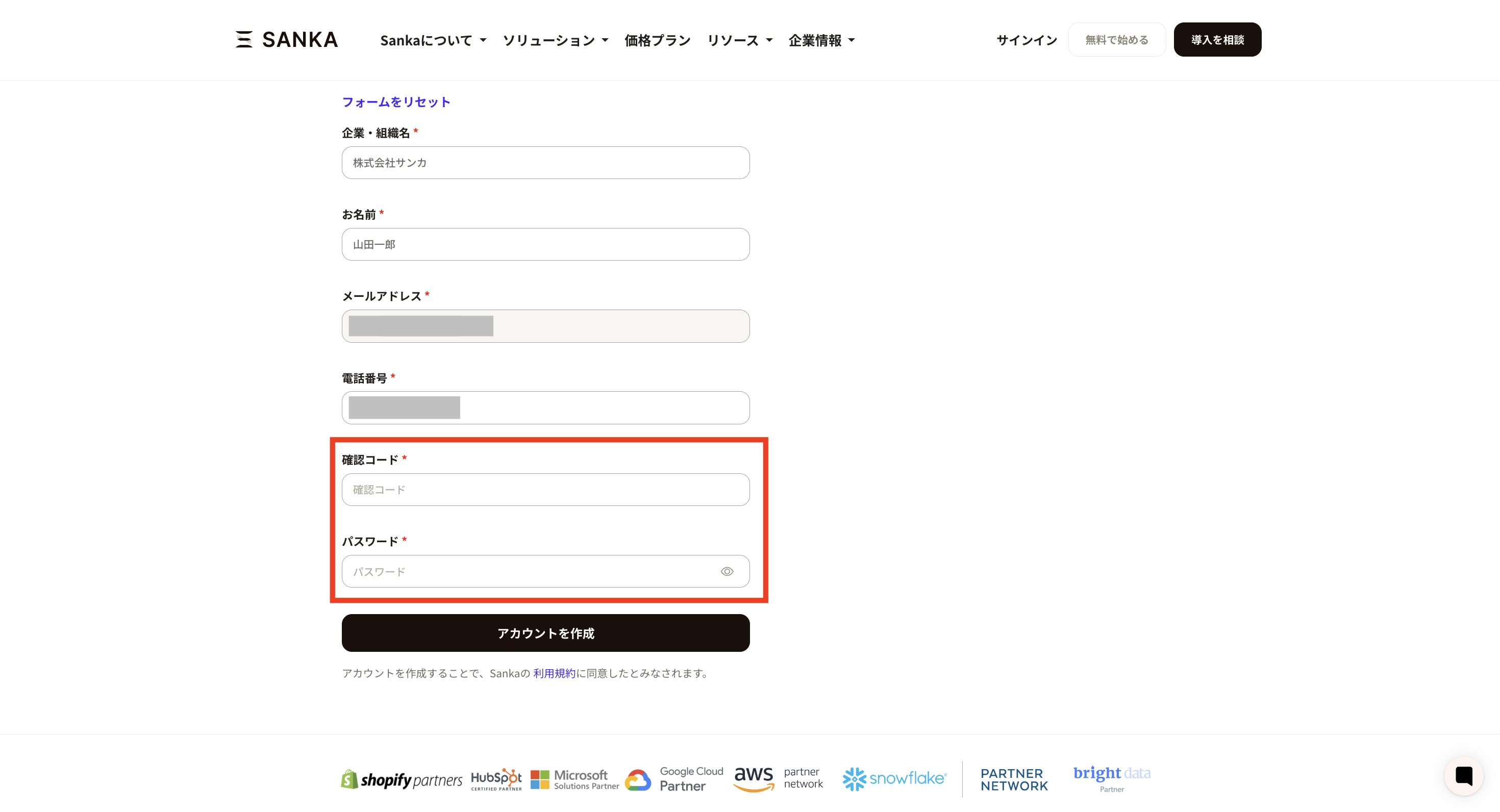
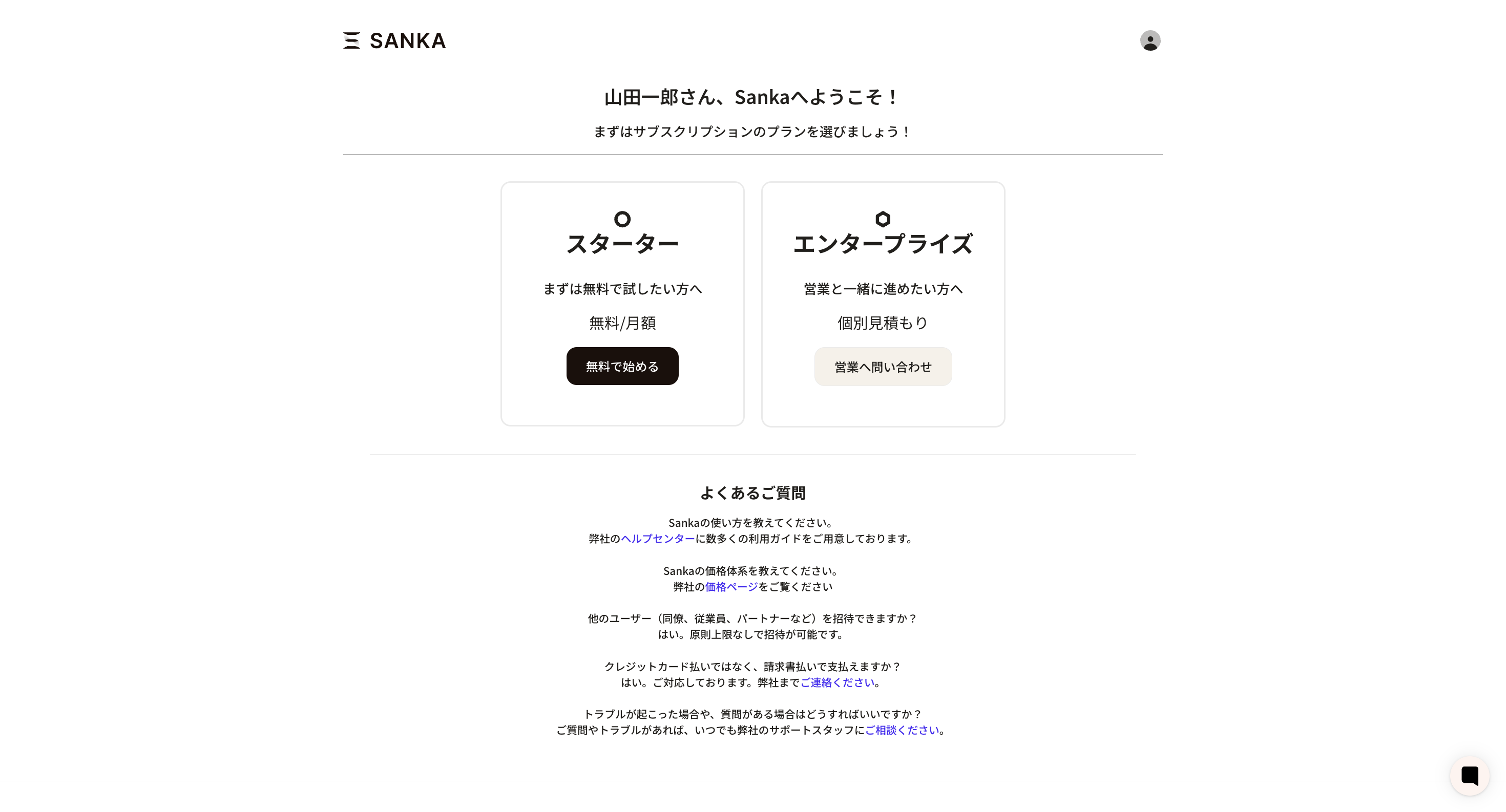
Step 4: Choose a pricing plan
Once your account is created, you will be taken to the pricing plan selection screen. Sanka offers two plans: Starter and Enterprise. We recommend starting with the free Starter plan, then moving to Standard or Enterprise as needed.